
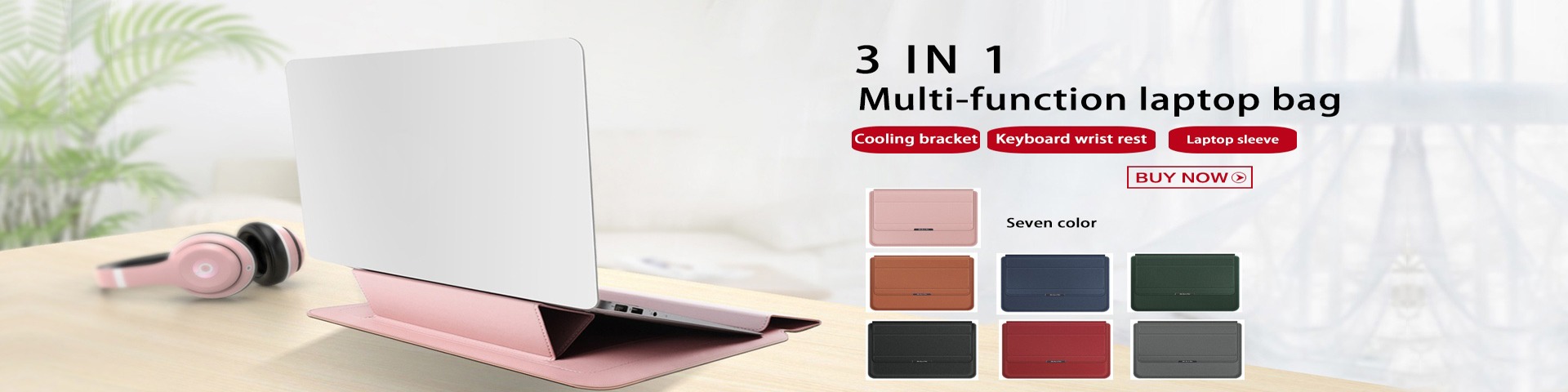
Что такое охлаждающая подставка для ноутбука
В современном мире, где ноутбуки стали неотъемлемой частью повседневной жизни, от работы до развлечений, вопрос их эффективного охлаждения приобретает все большее значение. Охлаждающая подставка для ноутбука — это специализированное устройство, предназначенное для улучшения терморегуляции ноутбука, предотвращения перегрева и, как следствие, повышения производительности и продления срока службы устройства. В этой статье мы подробно рассмотрим, что такое охлаждающая подставка, как она работает, какие типы существуют, их преимущества и недостатки, а также дадим практические советы по выбору и использованию.
Введение в тему
Ноутбуки, благодаря своей портативности и многофункциональности, завоевали огромную популярность. Однако их компактный дизайн часто приводит к проблемам с охлаждением. Внутренние компоненты, такие как процессор, видеокарта и жесткий диск, генерируют значительное количество тепла во время работы. Если это тепло не отводится эффективно, это может привести к перегреву, снижению производительности, случайным выключениям и даже повреждению hardware. Именно здесь на помощь приходит охлаждающая подставка.
Принципы работы охлаждающих подставок
Охлаждающие подставки работают на основе двух основных принципов: пассивного и активного охлаждения. Пассивное охлаждение relies on materials with high thermal conductivity, such as aluminum or copper, to dissipate heat through conduction and convection. Активное охлаждение involves the use of fans or other mechanisms to force air circulation, enhancing heat dissipation. Most modern cooling pads combine both approaches for optimal efficiency.
Типы охлаждающих подставок
Существует несколько типов охлаждающих подставок, каждый со своими особенностями. Основные категории включают подставки с вентиляторами, пассивные подставки, гибридные модели, и специализированные подставки для игровых ноутбуков. Подставки с вентиляторами are the most common, featuring one or more fans that blow air onto the bottom of the laptop. Пассивные подставки use materials like metal or gel to absorb and dissipate heat without moving parts. Гибридные модели combine fans and passive elements for balanced performance. Специализированные подставки for gaming laptops often have larger fans, RGB lighting, and additional features like USB hubs.
Преимущества использования охлаждающих подставок
Использование охлаждающей подставки offers numerous benefits. It significantly reduces the operating temperature of the laptop, which can prevent thermal throttling and maintain high performance during intensive tasks like gaming or video editing. This, in turn, extends the lifespan of internal components by reducing wear and tear caused by heat. Additionally, cooling pads can improve user comfort by keeping the laptop surface cooler to the touch and reducing fan noise from the laptop itself. They also often provide ergonomic benefits, such as raising the laptop to a more comfortable viewing angle.
Недостатки и ограничения
Despite their advantages, cooling pads have some drawbacks. They require external power, usually via USB, which can drain the laptop's battery if not used with an external power source. Some models can be bulky and less portable, counteracting the laptop's mobility. The effectiveness of a cooling pad depends on the laptop's design; for example, if the laptop's air vents are on the sides or top, a bottom-mounted cooling pad may be less effective. Additionally, low-quality cooling pads with noisy fans can be distracting.
Как выбрать подходящую охлаждающую подставку
Выбор охлаждающей подставки depends on several factors. Consider the size of your laptop; cooling pads come in various sizes to fit different laptops. Look at the number and size of fans; more or larger fans generally provide better cooling but may consume more power. Check the build quality and materials; metal constructions offer better heat dissipation than plastic. Features like adjustable height, USB ports, and silent operation can enhance usability. Reading reviews and comparing brands like Cooler Master, Thermaltake, or Havit can help in making an informed decision.
Практические советы по использованию
To maximize the benefits of a cooling pad, ensure it is placed on a flat, hard surface to allow proper air intake. Clean the fans and vents regularly to prevent dust buildup, which can reduce efficiency. Use the cooling pad during intensive tasks rather than all the time to save power. For laptops with bottom air vents, position the cooling pad so that its fans align with the laptop's vents for optimal airflow. Experiment with fan speed settings if available to find a balance between cooling and noise.
Влияние на производительность и долговечность
Исследования и пользовательский опыт показывают, что эффективное охлаждение can lead to a noticeable improvement in laptop performance. By maintaining lower temperatures, the CPU and GPU can operate at higher clock speeds without throttling, resulting in smoother gameplay, faster rendering times, and better overall responsiveness. In the long term, this reduces the risk of hardware failures, such as solder joint cracks or capacitor degradation, common in overheated devices. Thus, investing in a good cooling pad can be a cost-effective way to protect your investment in a laptop.
Будущее охлаждающих технологий
Технологии охлаждения continue to evolve. Future cooling pads may incorporate advanced materials like graphene for better heat conduction, or innovative designs such as liquid cooling systems integrated into pads. Smart cooling pads with sensors and automatic fan control based on temperature readings are already emerging. As laptops become more powerful and compact, the demand for efficient cooling solutions will only grow, driving further innovation in this field.
Заключение
В заключение, охлаждающая подставка для ноутбука — это valuable accessory that addresses the common issue of overheating in portable computers. By understanding its types, benefits, and how to choose and use one effectively, users can enhance their laptop's performance, longevity, and overall user experience. Whether for gaming, work, or general use, a cooling pad is a smart addition to any laptop setup.